Enterprise glossary and CDE tracking tool
for large organizations
Overview
Lexio is an internal data management tool built for a large enterprise organization. The platform serves as a single source of truth for business terminology — ensuring that everyone across the organization speaks the same language when it comes to critical data.
I owned the design process end-to-end — from early concepts to stakeholder presentations — working directly with business analysts and developers to shape the final product.
The Problem
Large enterprise organizations rely on hundreds of critical data elements — terms that appear across multiple applications, systems, and teams. Without a shared definition, the same term could mean different things depending on who you asked or which system you looked at.
There was no single place to look up a term, understand its context, or see where it was being used across the organization. This created confusion, inconsistency, and wasted time — especially for teams working across systems who needed to align on data before making decisions.
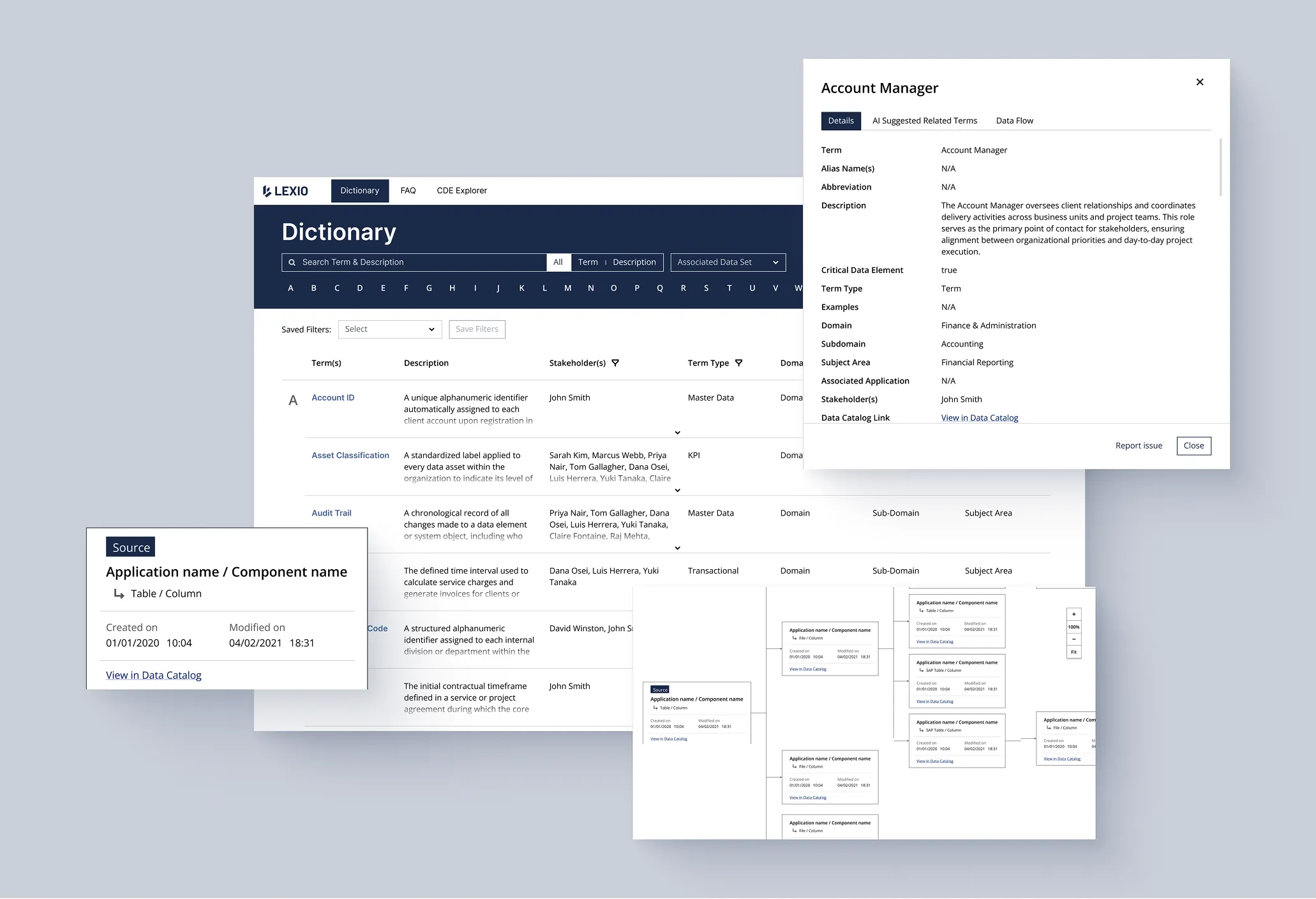
Phase 1 — Dictionary
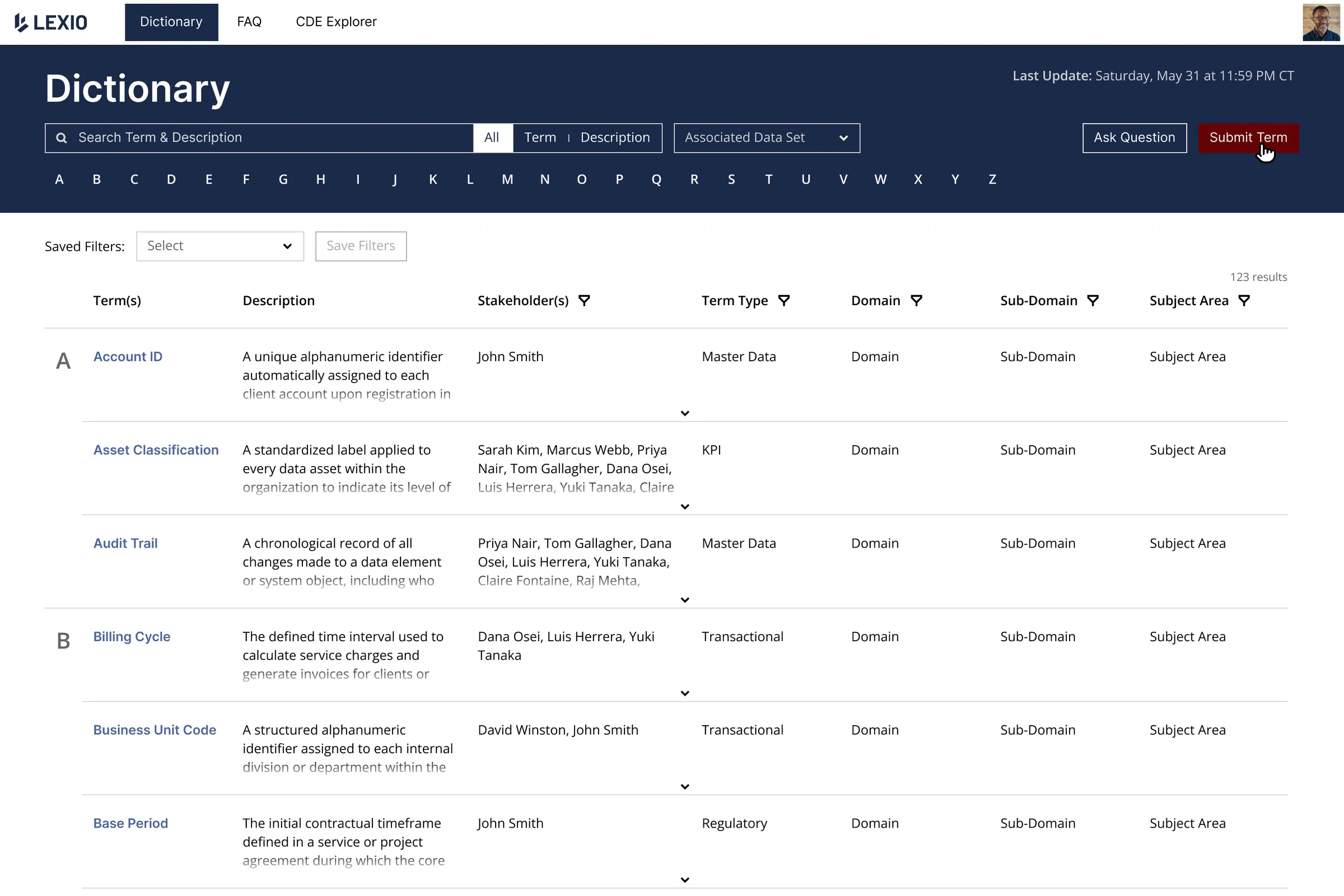
The first step was establishing a shared foundation. We designed a searchable enterprise dictionary where employees could look up any business term, read its definition, and understand its context — domain, subdomain, subject area, and the stakeholders responsible for it.
The dictionary supports alphabetical navigation, filtering by term type, and a expandable row structure that keeps the interface clean while allowing users to dive deeper when needed. A submit term flow allows employees to contribute new terms, keeping the glossary alive and up to date.
Phase 2 — CDE Explorer
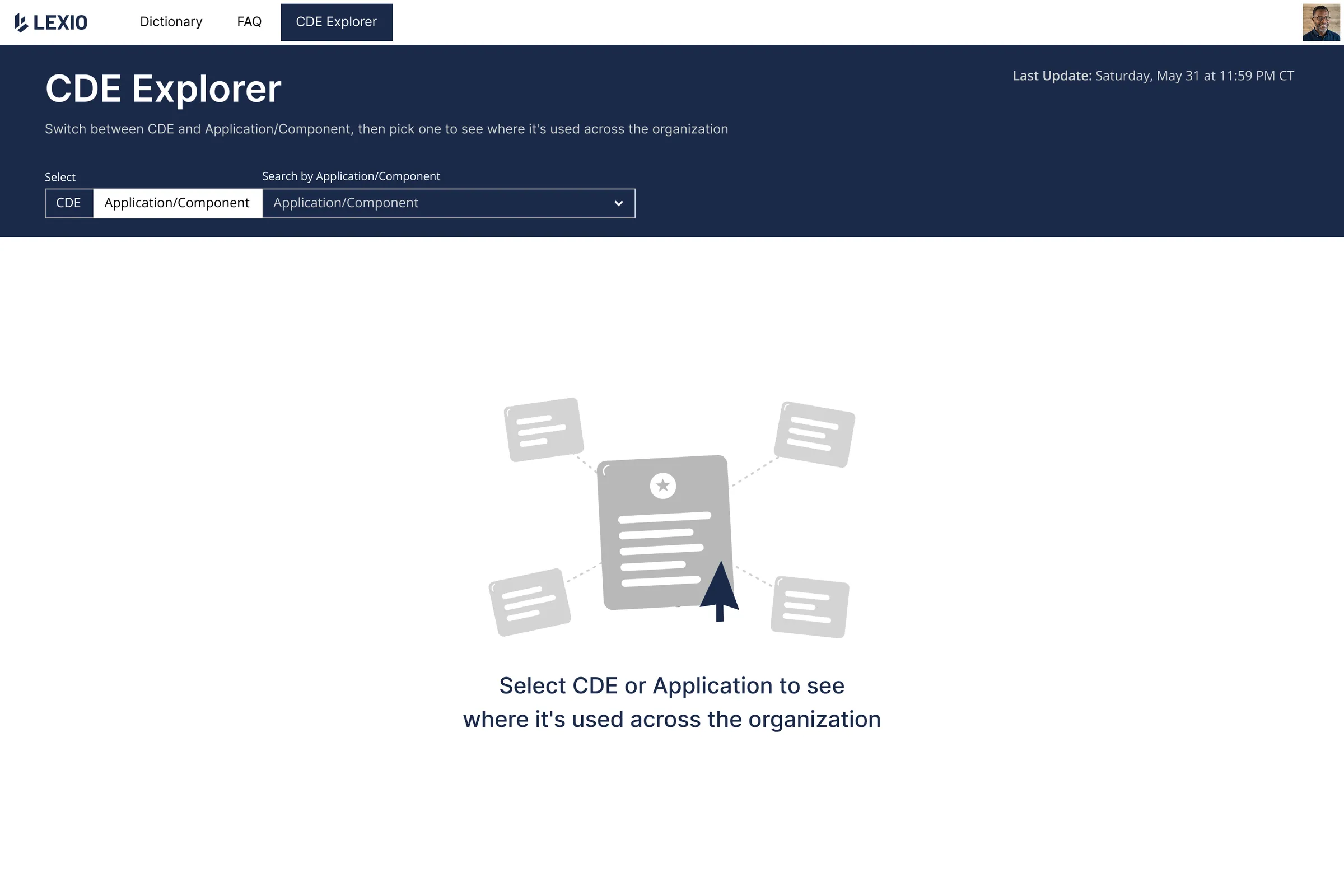
As the dictionary grew, a new need emerged. The client came back with a question the dictionary alone couldn't answer: where is this term actually used across our systems?
This led to the design of CDE Explorer — a new feature built on top of the existing product.
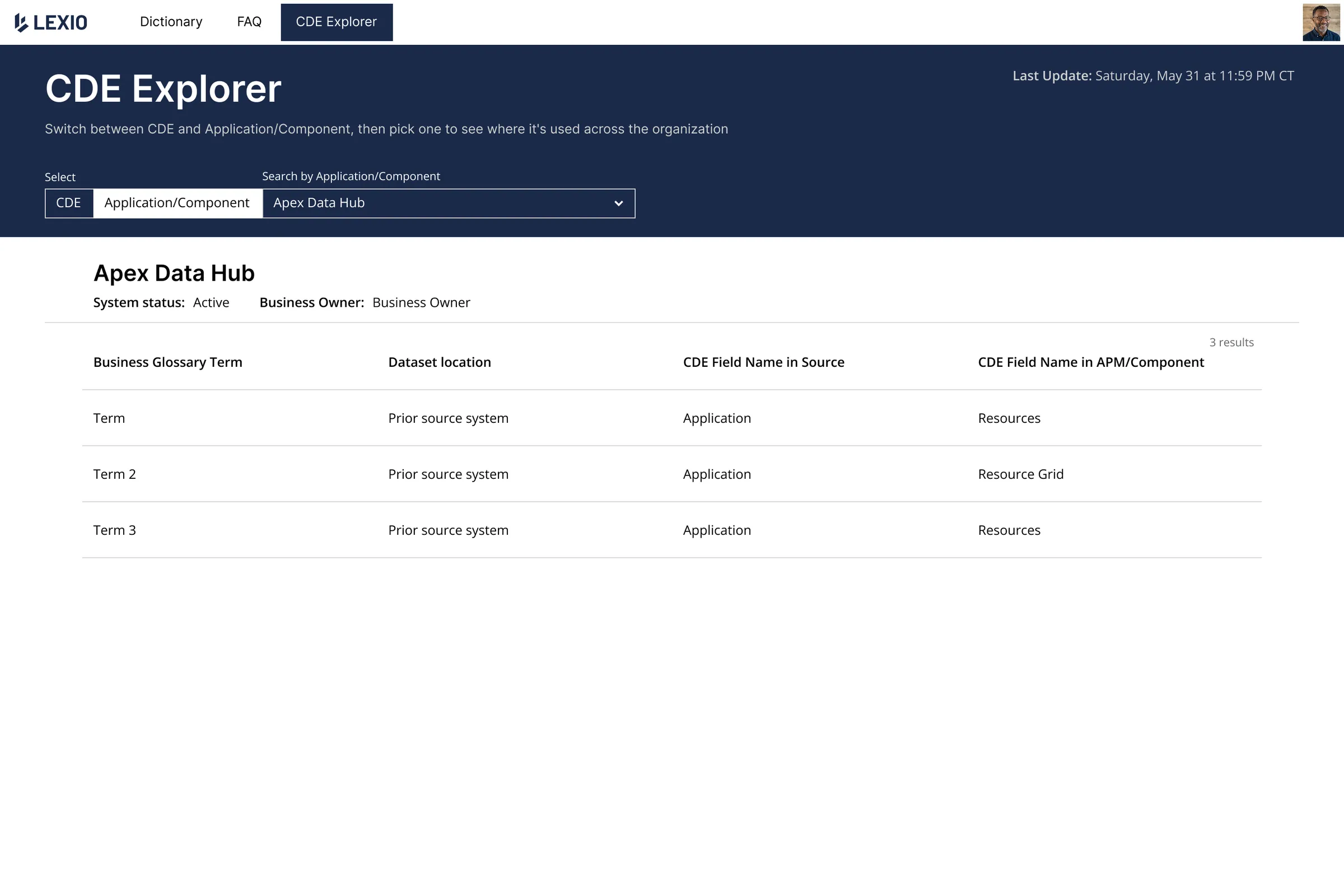
Two ways to explore:
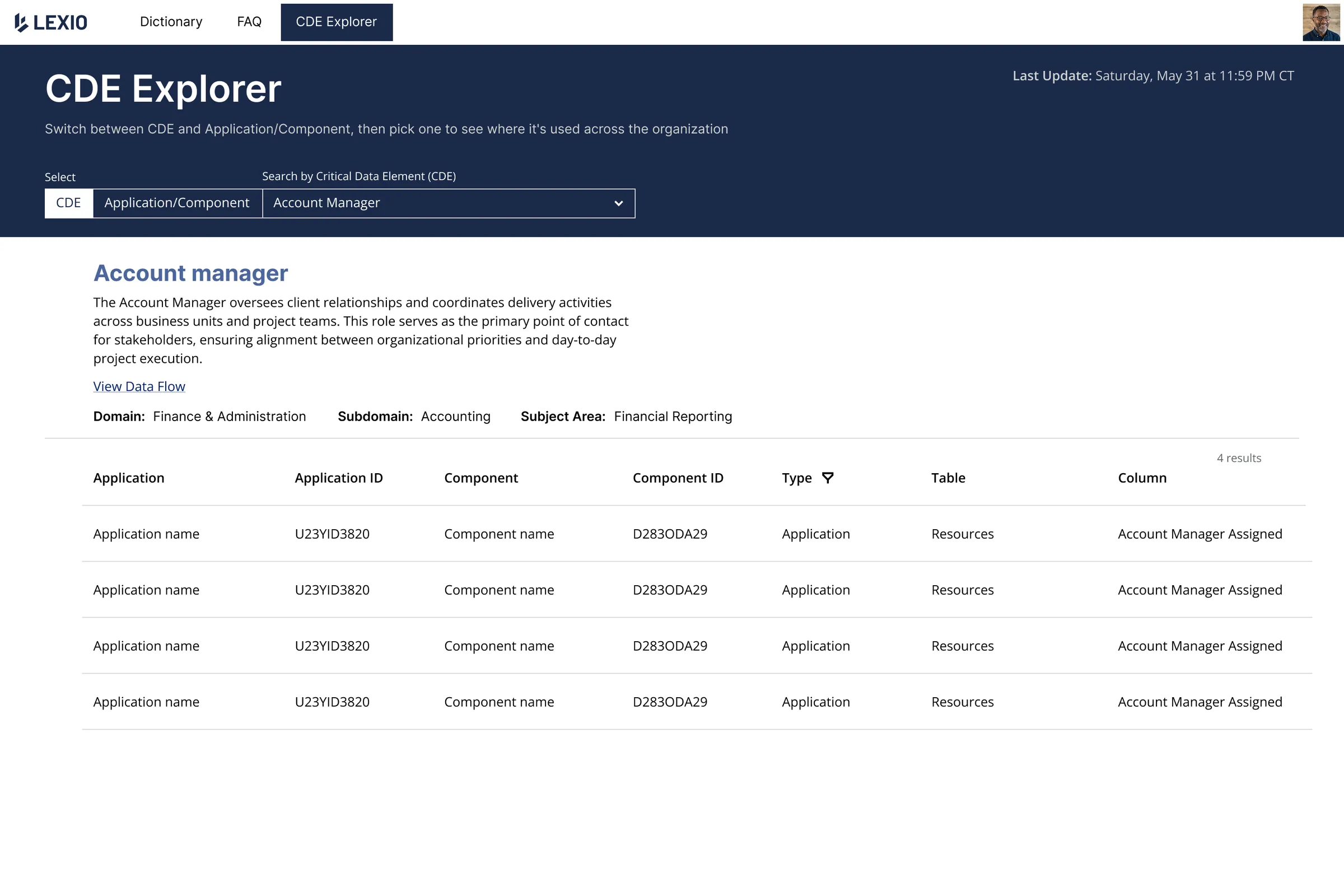
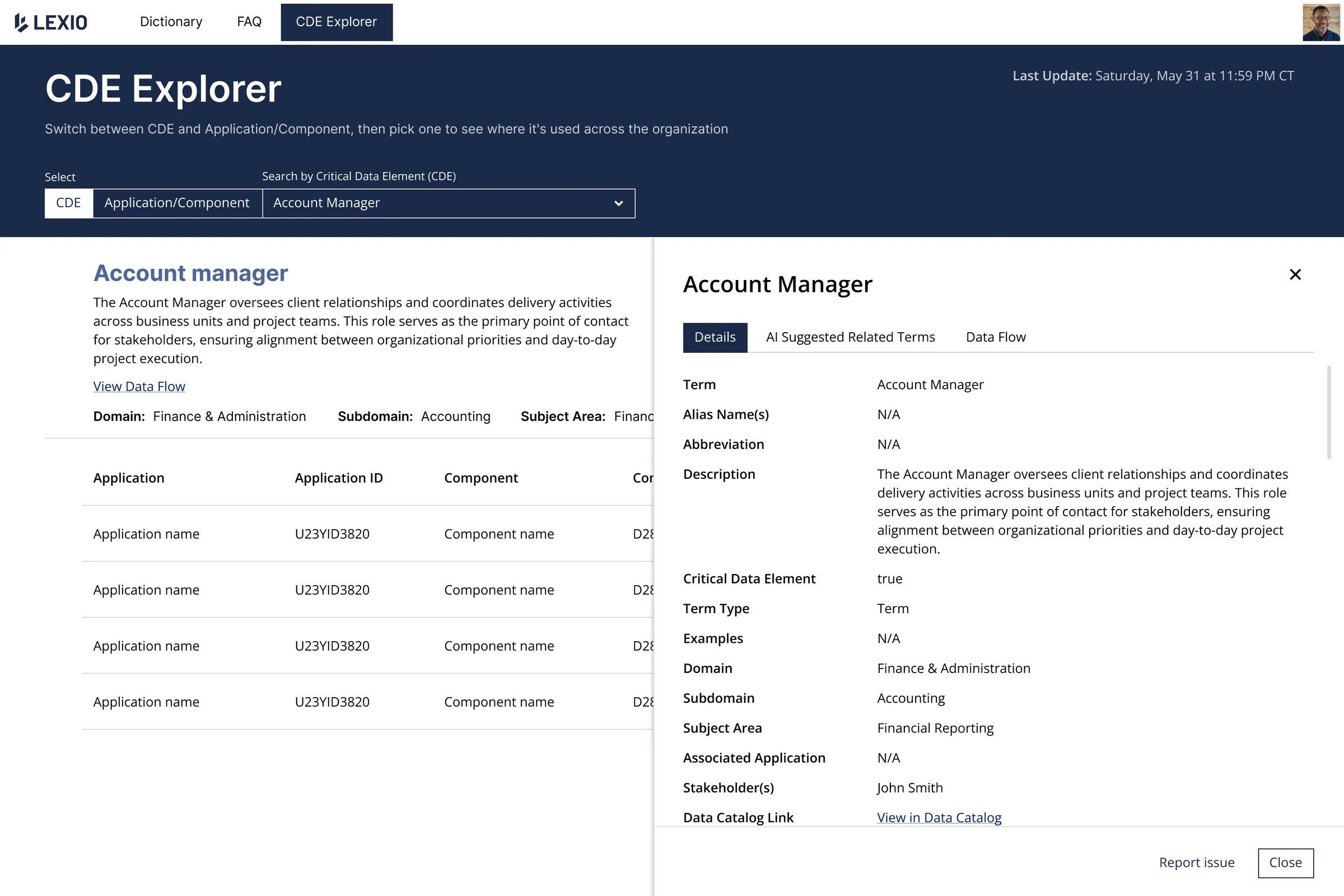
Search by CDE — select a critical data element and see every application and component where it appears, along with the exact table and column. A detail panel provides full term metadata and links to the data catalog.
Search by Application/Component — flip the perspective. Select a system and see all the critical data elements it contains. Useful for teams auditing a specific application or planning a migration.
Data Flow Visualization
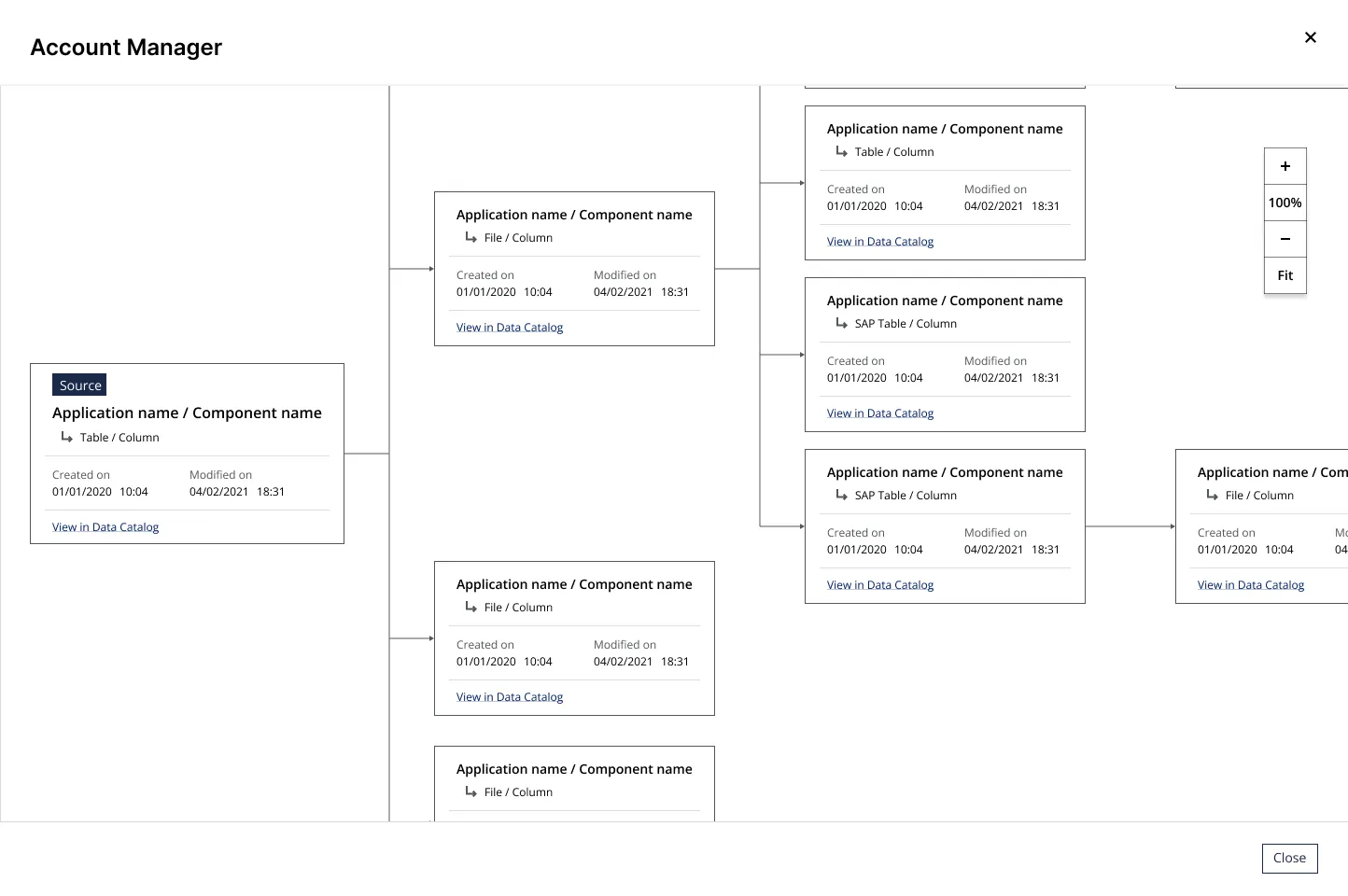
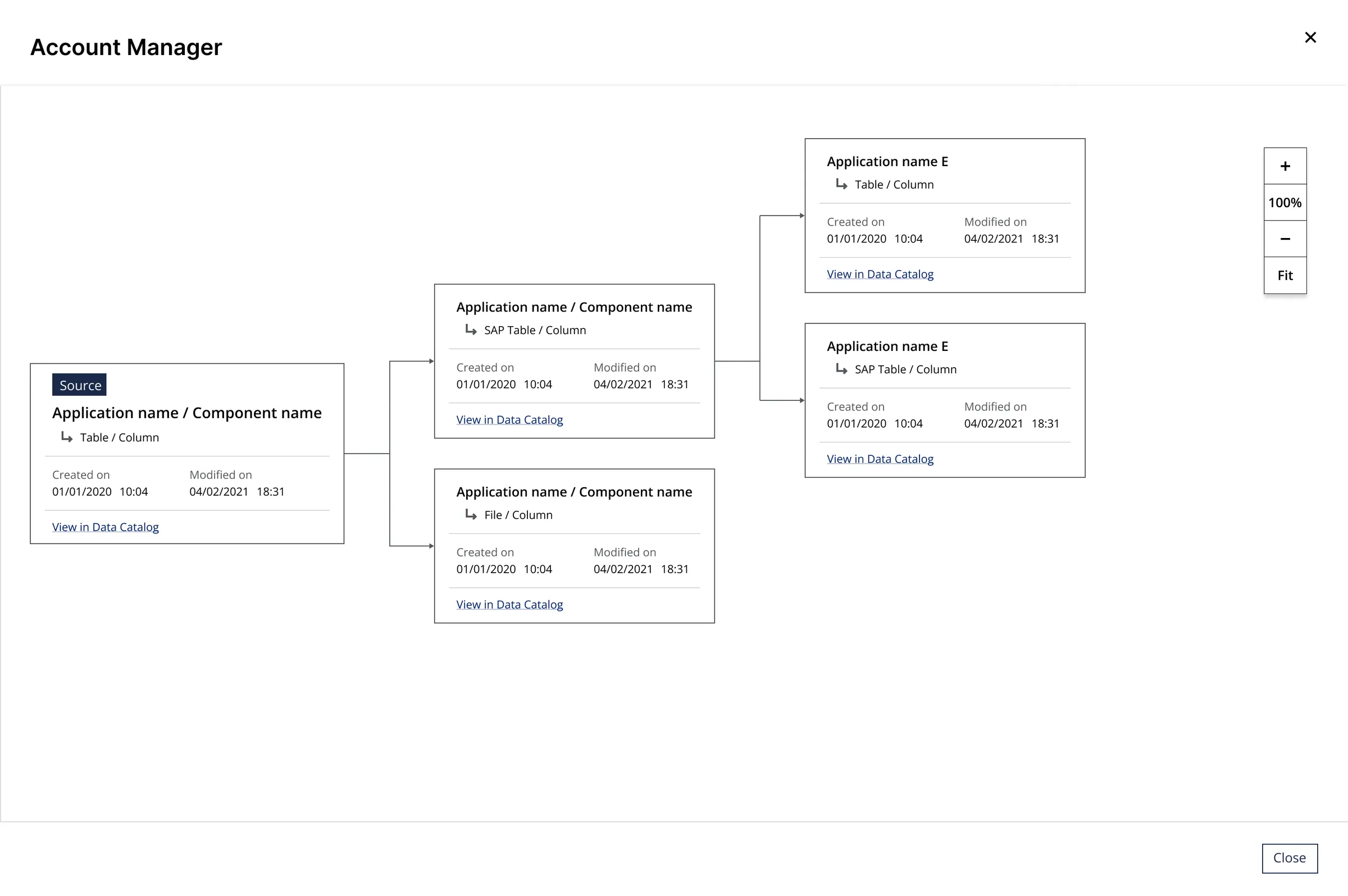
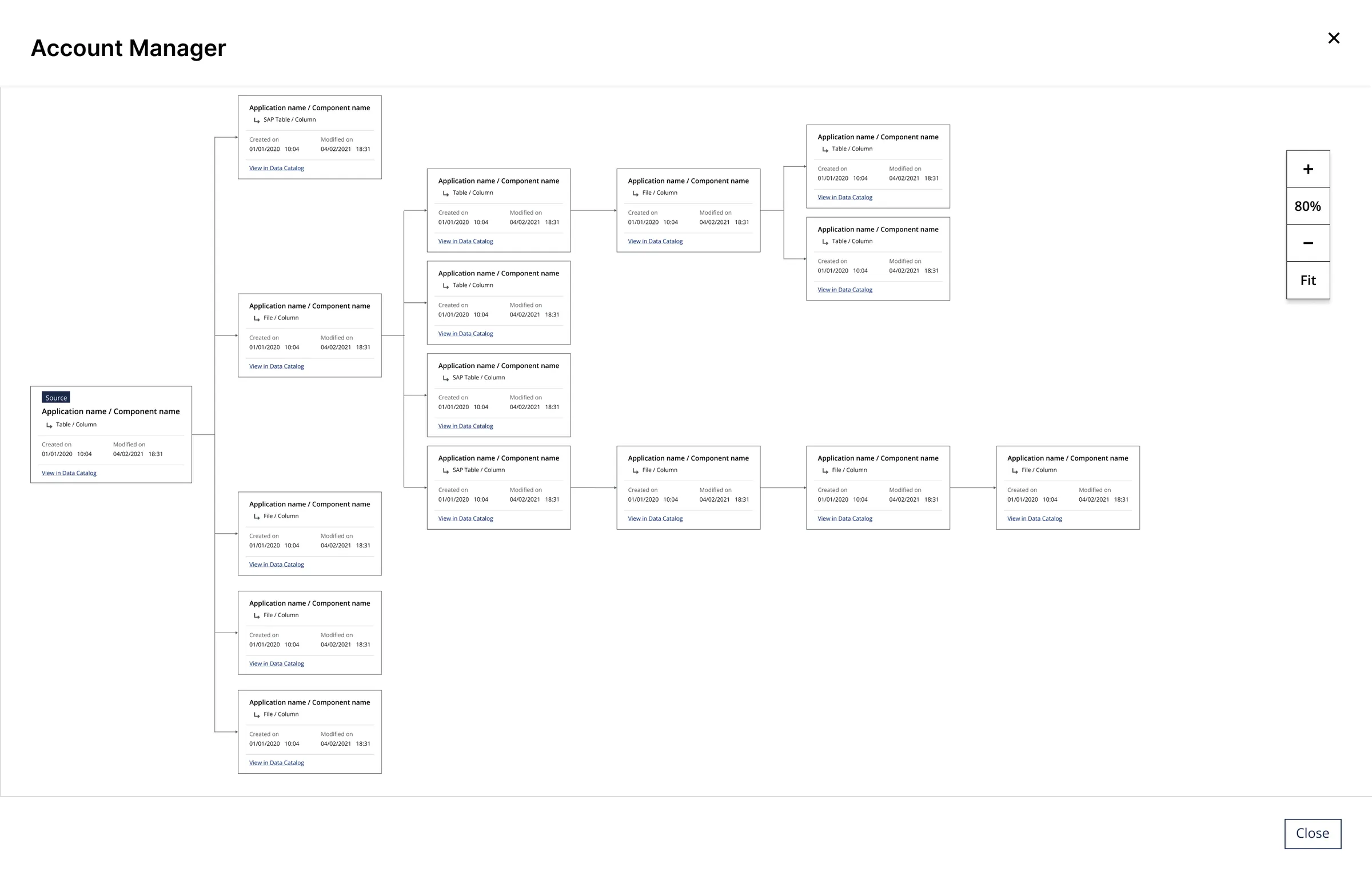
From any CDE, users can open a full interactive data flow graph — showing how a term travels from its source through connected systems. The graph supports zoom, pan, and a minimap for navigating large dependency trees. The source node is always highlighted, making it easy to trace data lineage at a glance.
Zoom controls + minimap — for large organizations with complex data graphs, navigability was critical. Zoom controls and a minimap thumbnail ensure users never feel lost in the visualization.
Outcome
Lexio was delivered to the client and received positively across teams. The dictionary provided a reliable reference point that reduced ambiguity in cross-team communication. The CDE Explorer gave data teams a tool they previously had to piece together manually — a clear view of where every critical term lives and how it flows across the organization.