All work

Mobile · Freelance concept · 2024

Listr

An event discovery and ticketing app — find what's on in your city and book tickets in a few taps.

Role
Sole designer — research, UX, UI and visual identity
Type
Freelance concept for a client
Scope
Onboarding, sign-up, city selection, feed, places, tickets, UI kit
Research
Survey of 12 people, competitive analysis, 2 personas
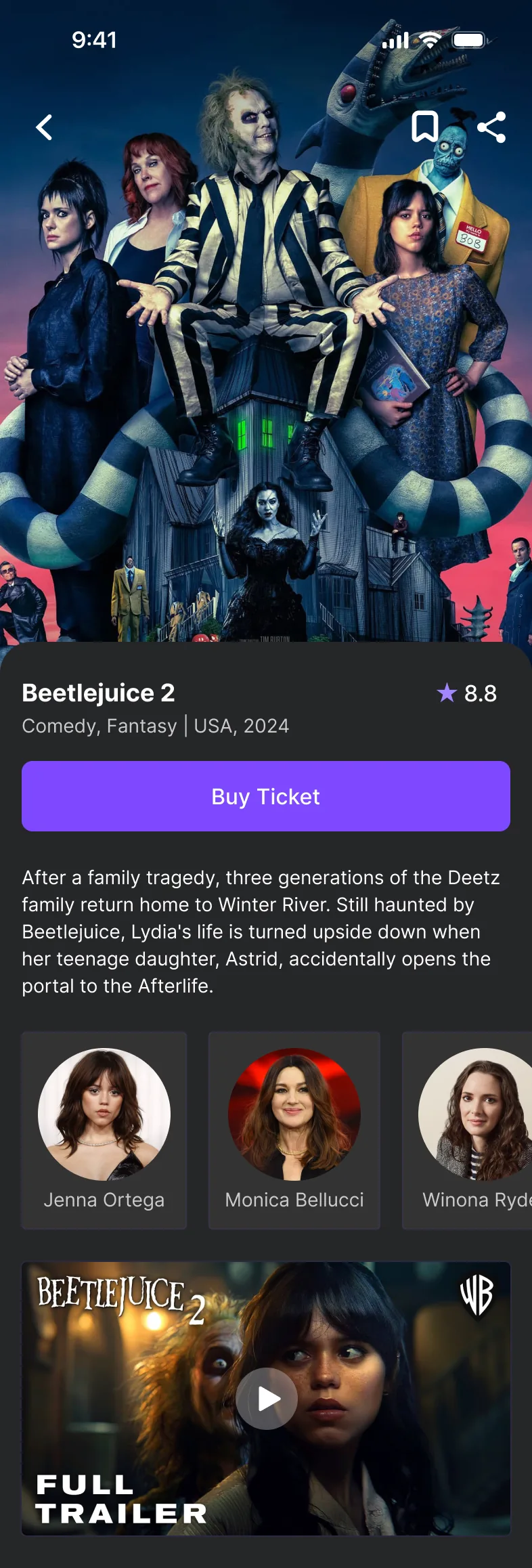
  • Event screen for Beetlejuice 2: poster, genre, rating, a Buy Ticket button, description and cast
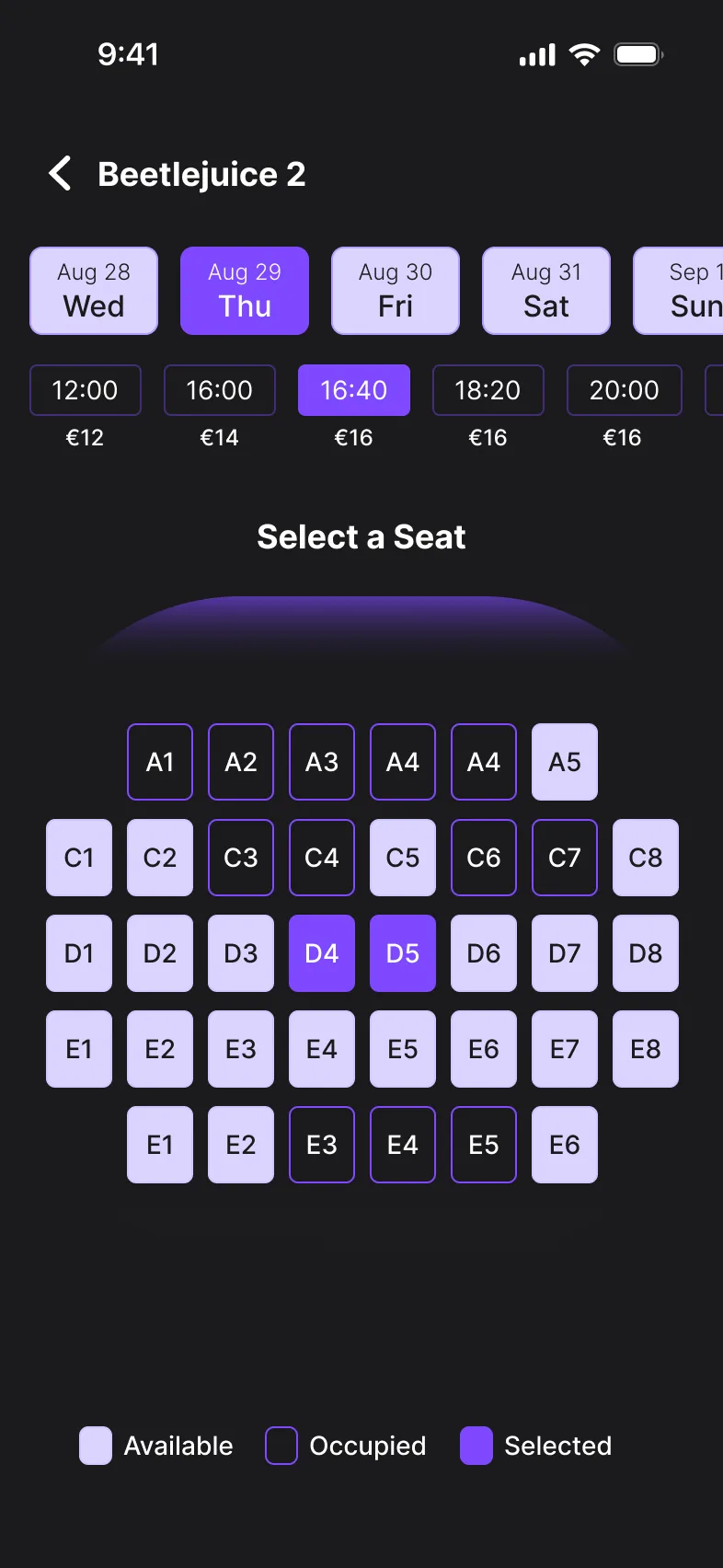
  • Seat selection: date and showtime chips with prices, and a seat map with available, occupied and selected seats
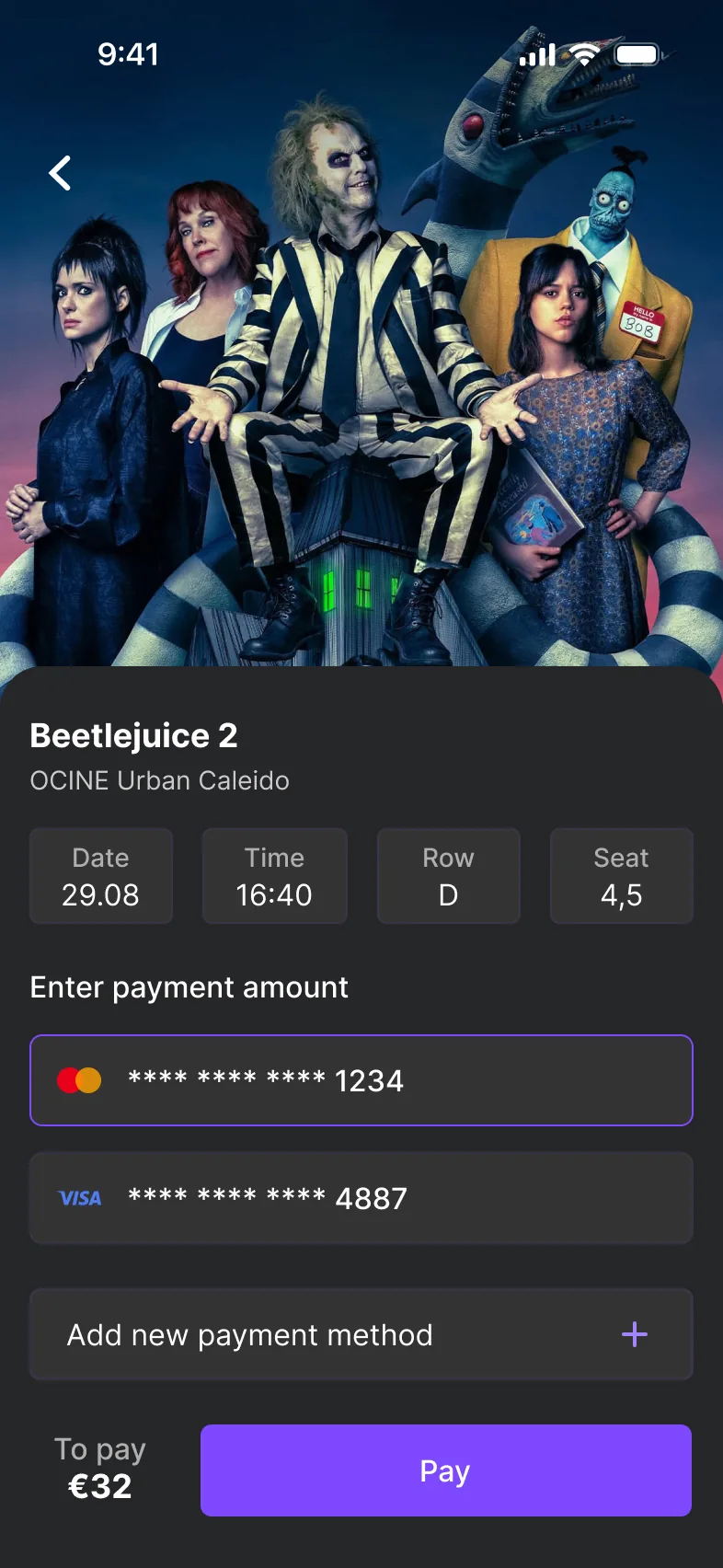
  • Payment: ticket summary with date, time, row and seat, saved cards, and a Pay button

Research

Listr helps people find and book tickets for events in their city — movies, concerts, theater, sports or a night out. I started with a survey of 12 people and a competitive analysis of existing event apps.

Key findings

  • Hidden fees at checkout were the top frustration.
  • Easy search and filtering was the most wanted feature.
  • Most people find events through social media.
  • Notifications about upcoming events matter to most respondents.

User personas

Portrait photo used for the Marta persona

Marta, 28

Social media manager, Madrid

Goals
  • Stay on top of cultural events and trends
  • Find events that match her interests
  • Share them on social media
Frustrations
  • Events scattered across platforms
  • Complicated ticket purchasing
  • Missing popular events because of late notifications

Portrait photo used for the Carlos persona

Carlos, 35

Project manager, Barcelona

Goals
  • Balance work with leisure
  • Discover family-friendly events
  • Get timely reminders
Frustrations
  • Hard to filter events for adults and children
  • Cluttered interfaces
  • Forgetting planned events without reminders
User flow & UI kit

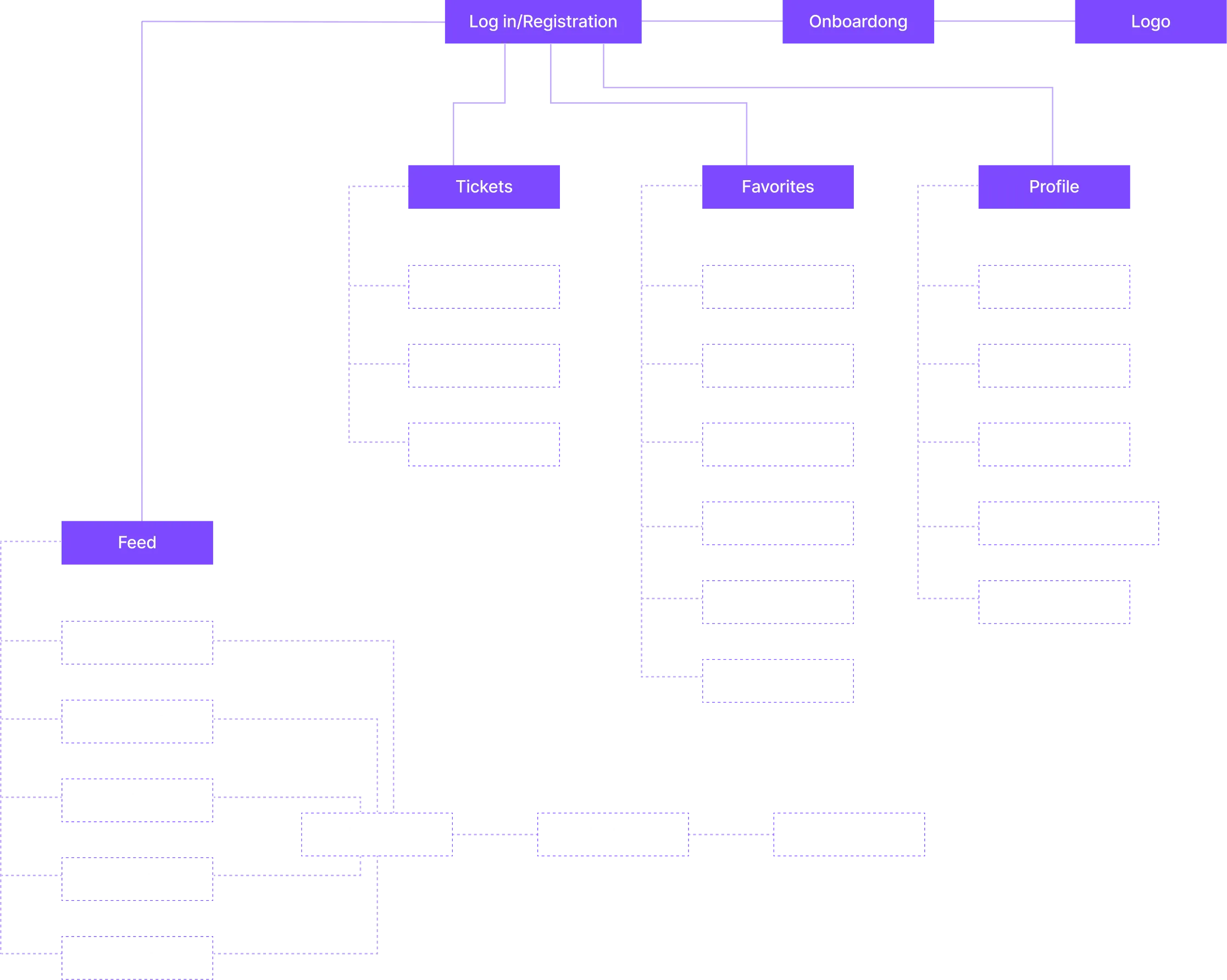
User flow sitemap. Logo and onboarding lead to log-in or registration, which opens four sections. Feed: movies, concerts, nightlife, theatre and sports, each leading to select event, select seat and payment. Tickets: current, return and archived. Favorites: movies, theatre, concerts, nightlife, exhibitions and sports. Profile: personal info, location, language, payment methods and support. (open full size)
User flow. From sign-up and onboarding to the feed, tickets, favorites and profile — and from any event to seat selection and payment.

Typography

Inter

Regular Medium Semibold Bold

Colors

  • #C1B1FF

  • #7E49FF

  • #3B119E

  • #1A1A1C

  • #252628

  • #FCFCFC

Key decisions

Onboarding in a few screens

Problem
New users need to understand what the app does and how to navigate it before they sign up.
Solution
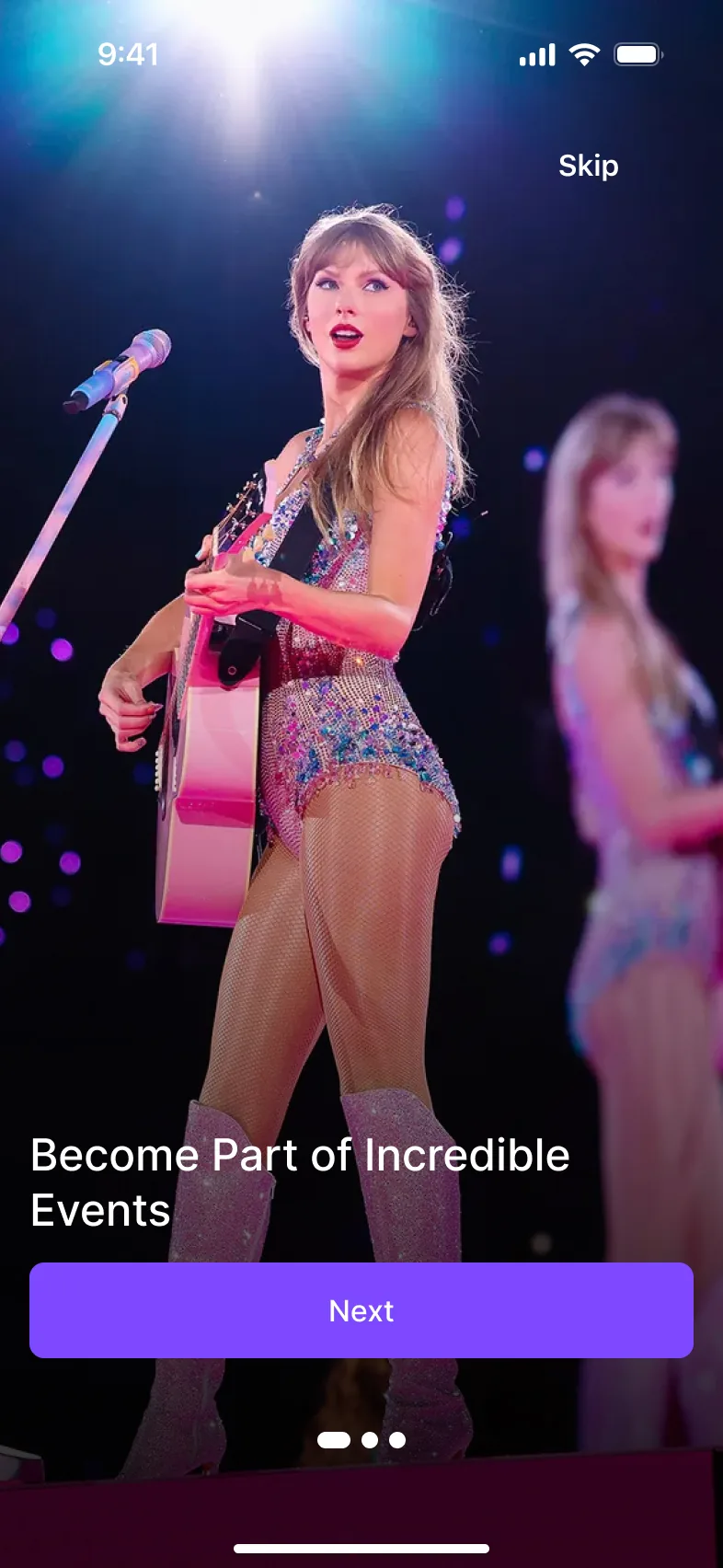
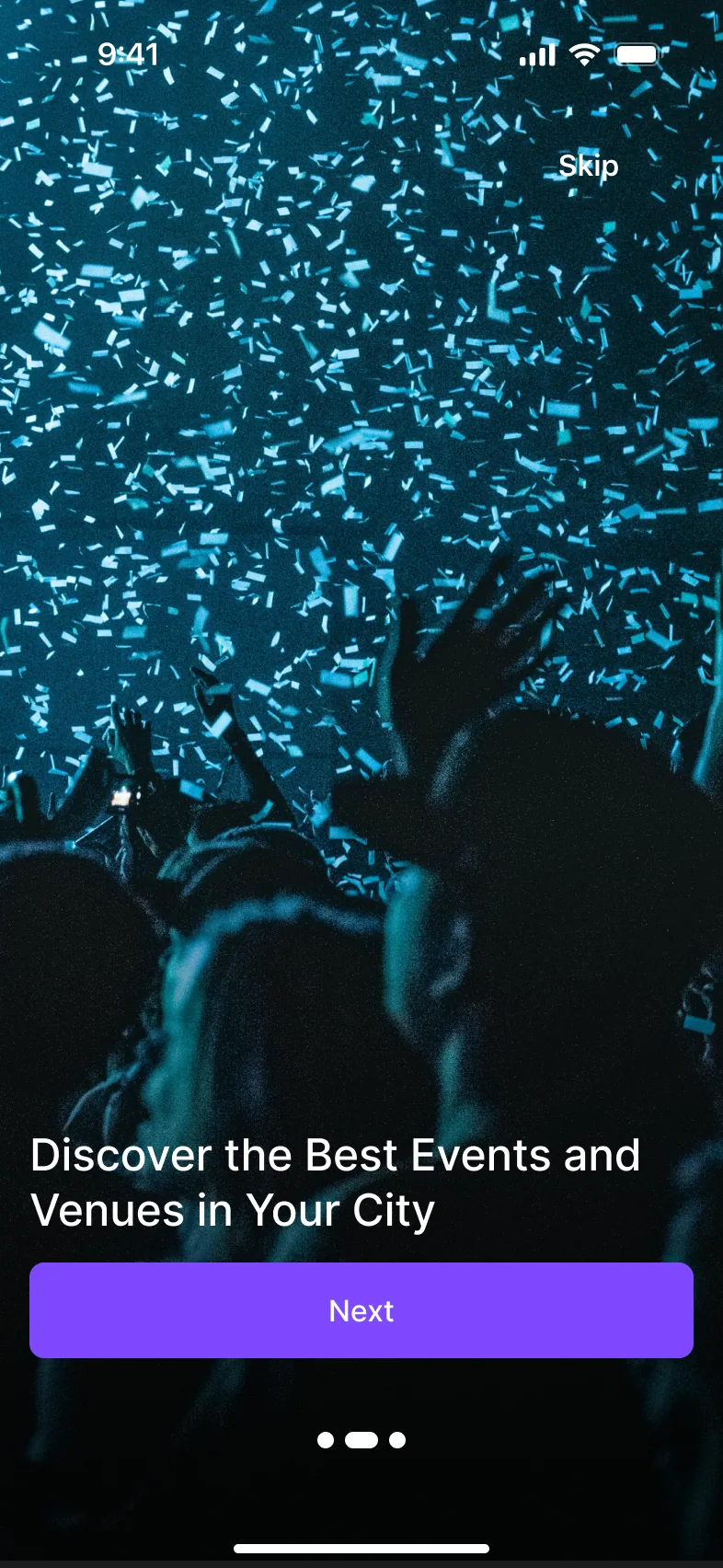
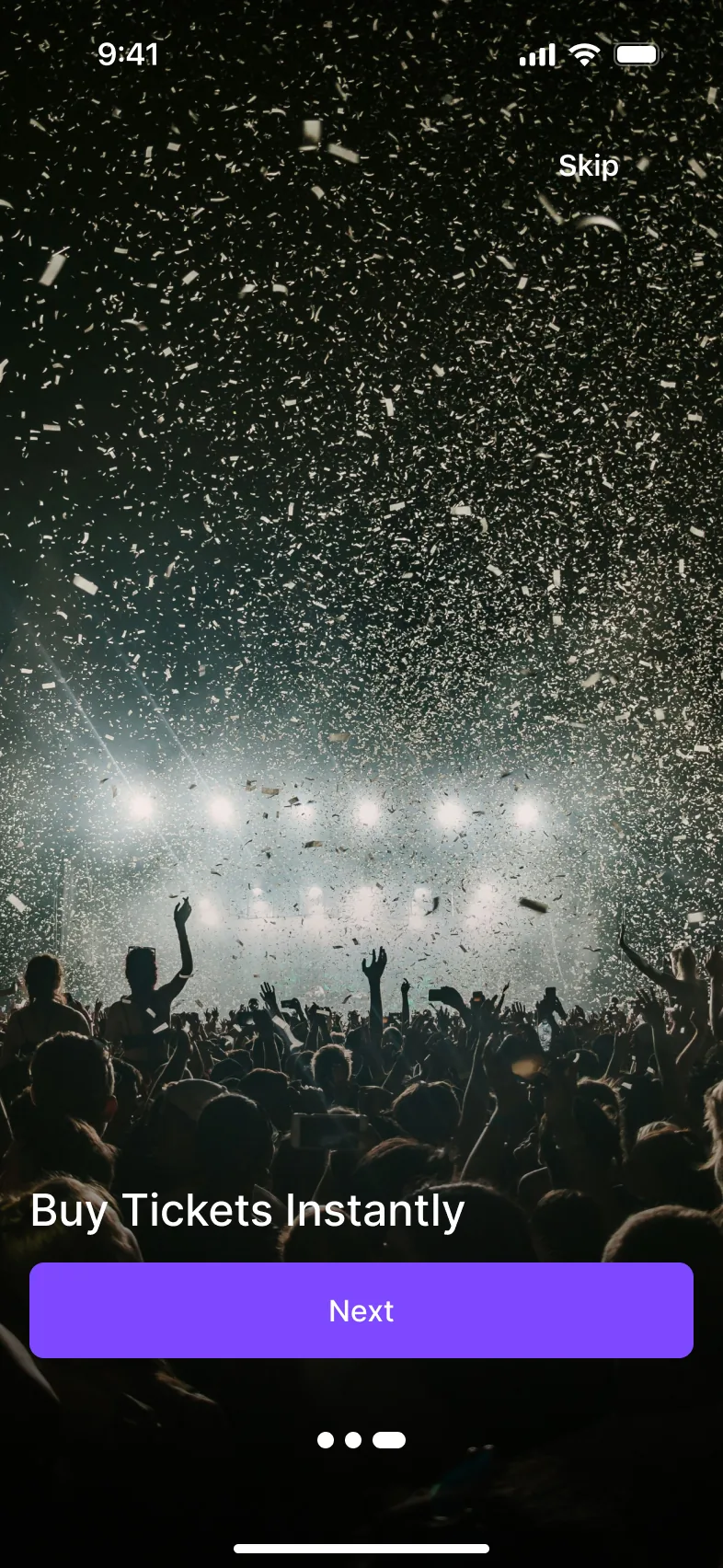
Three short onboarding screens introduce the key ideas: “Become part of incredible events,” “Discover the best events and venues in your city” and “Buy tickets instantly.”
Loading screen: the Listr logo on a dark purple gradient
Loading screen and three onboarding screens, one idea each.

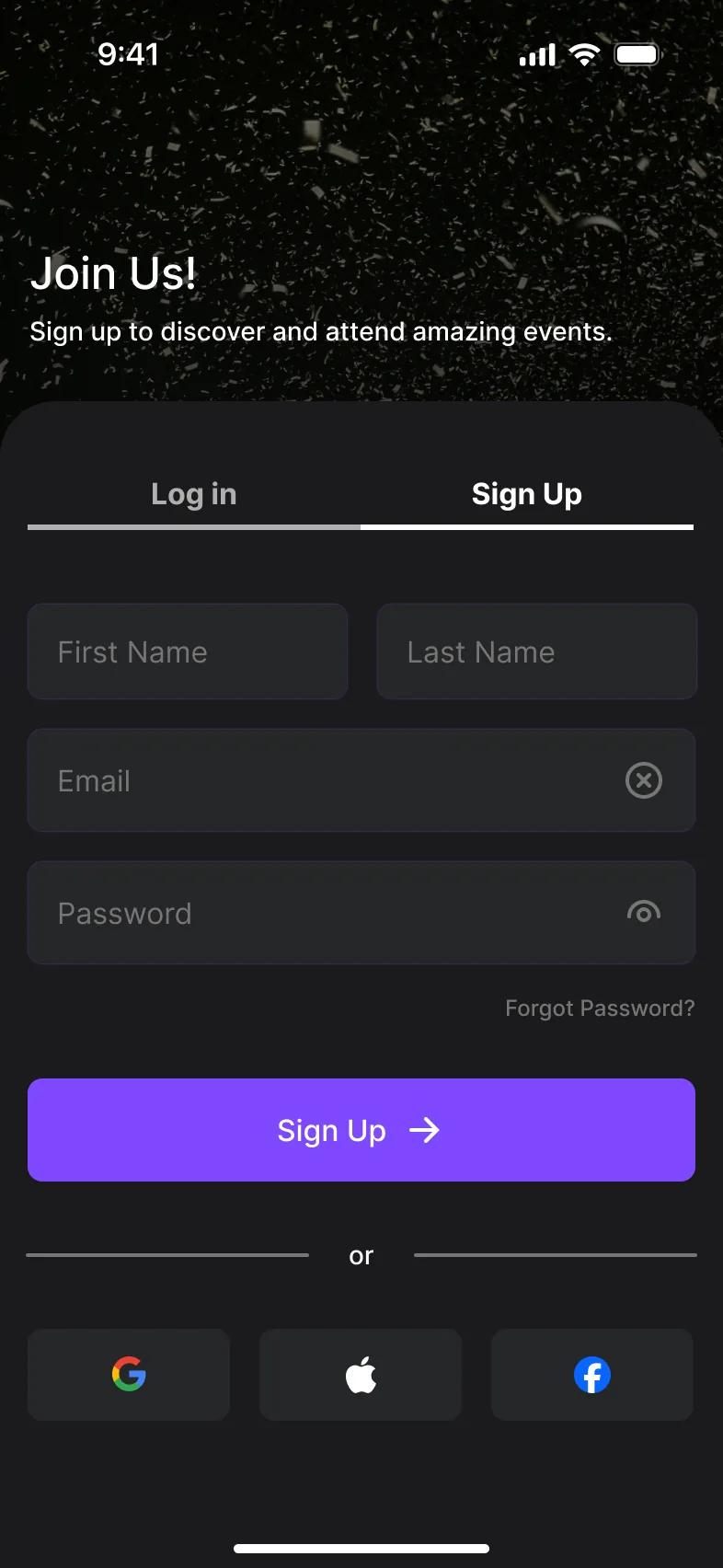
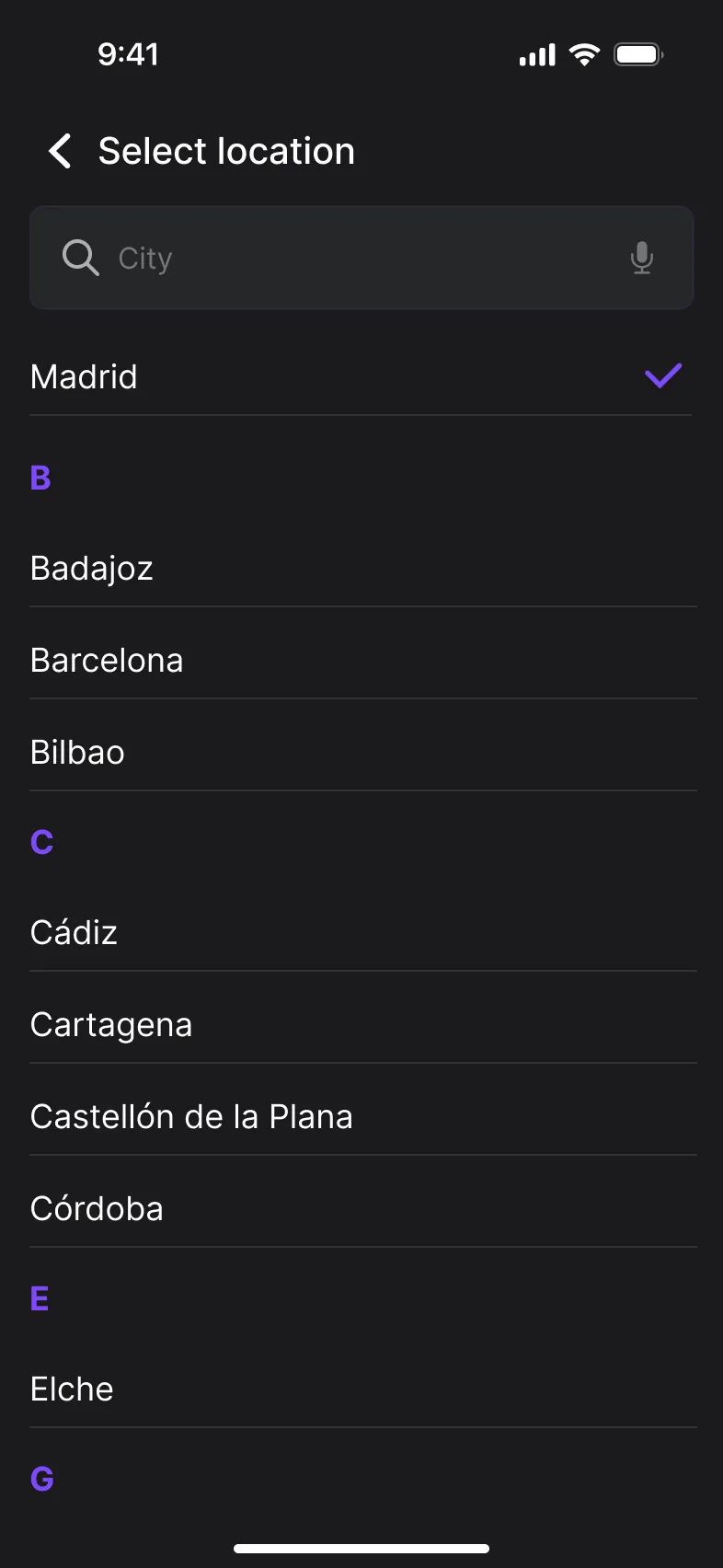
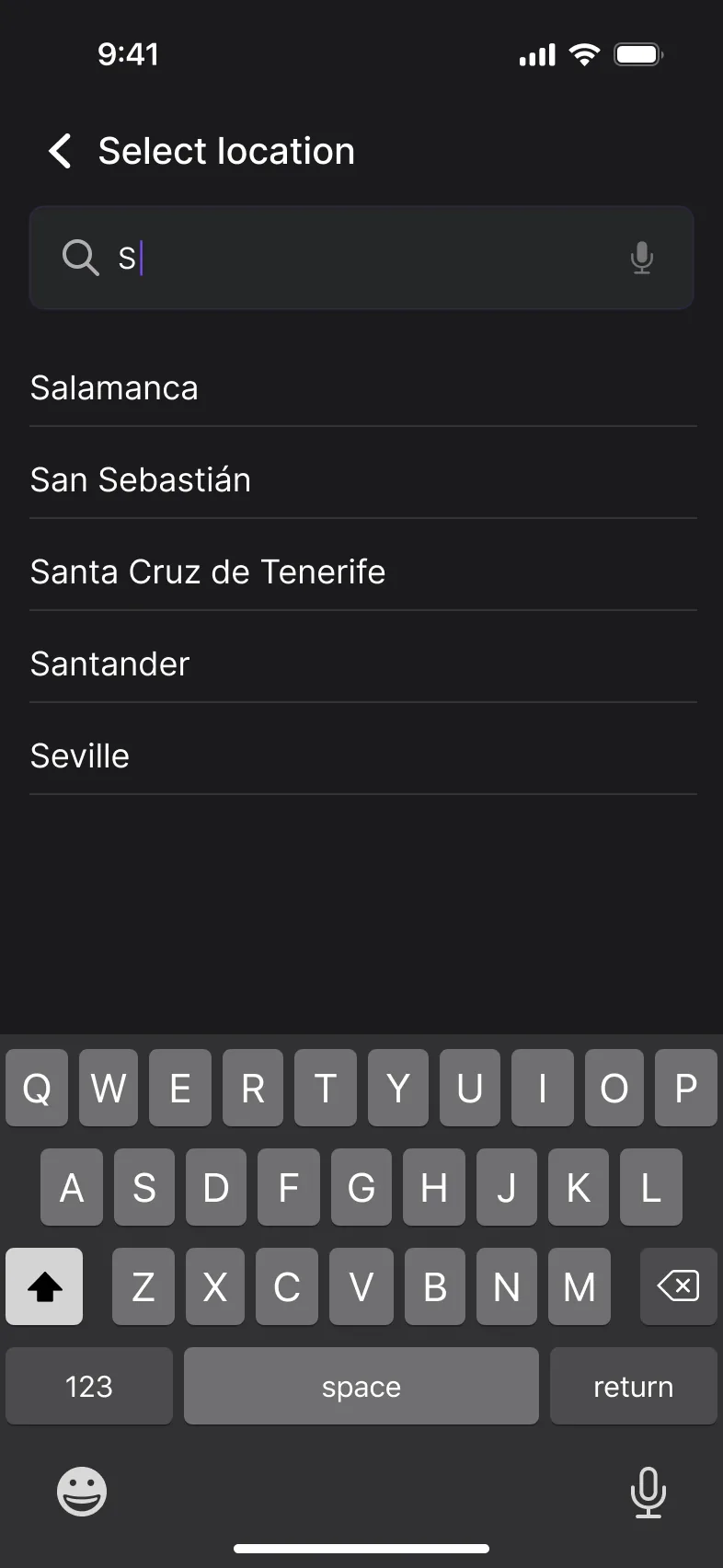
City selection at sign-up

Problem
Events are local — a feed of events from everywhere isn't useful.
Solution
Choosing a city is part of the initial setup, with a searchable list, so recommendations match the user's city from the very first launch.
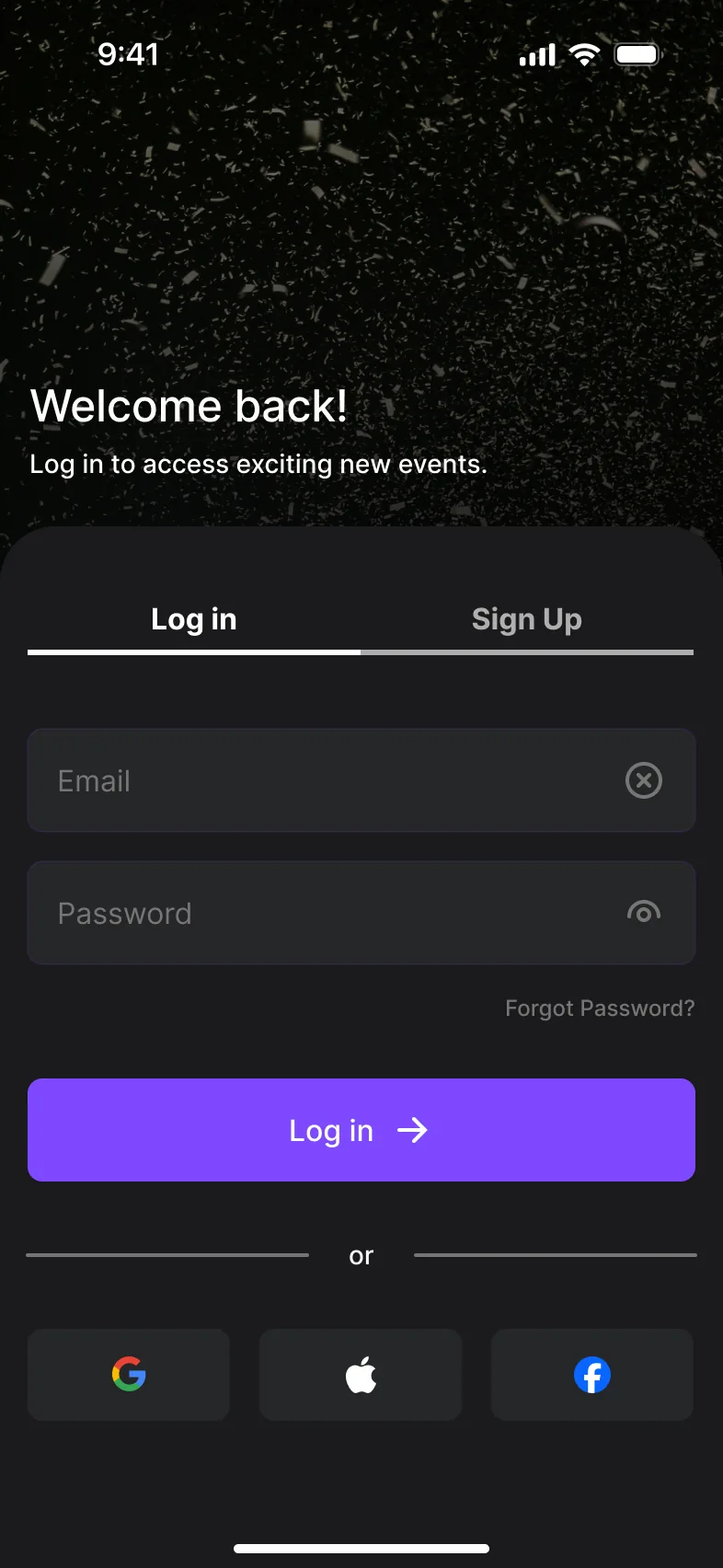
  • Log in screen: Welcome back, email and password fields, a Log in button and Google, Apple and Facebook sign-in
  • Sign up screen: Join Us, first and last name, email and password fields and a Sign Up button
  • Select location screen: a city search field and an alphabetical list of Spanish cities with Madrid selected
  • Select location screen while typing: the list filtered to cities starting with S, with the keyboard open
Log in, sign up and city selection.

Feed & Places — two ways to discover

Problem
Some people look for a type of event; others start from a venue they already like.
Solution
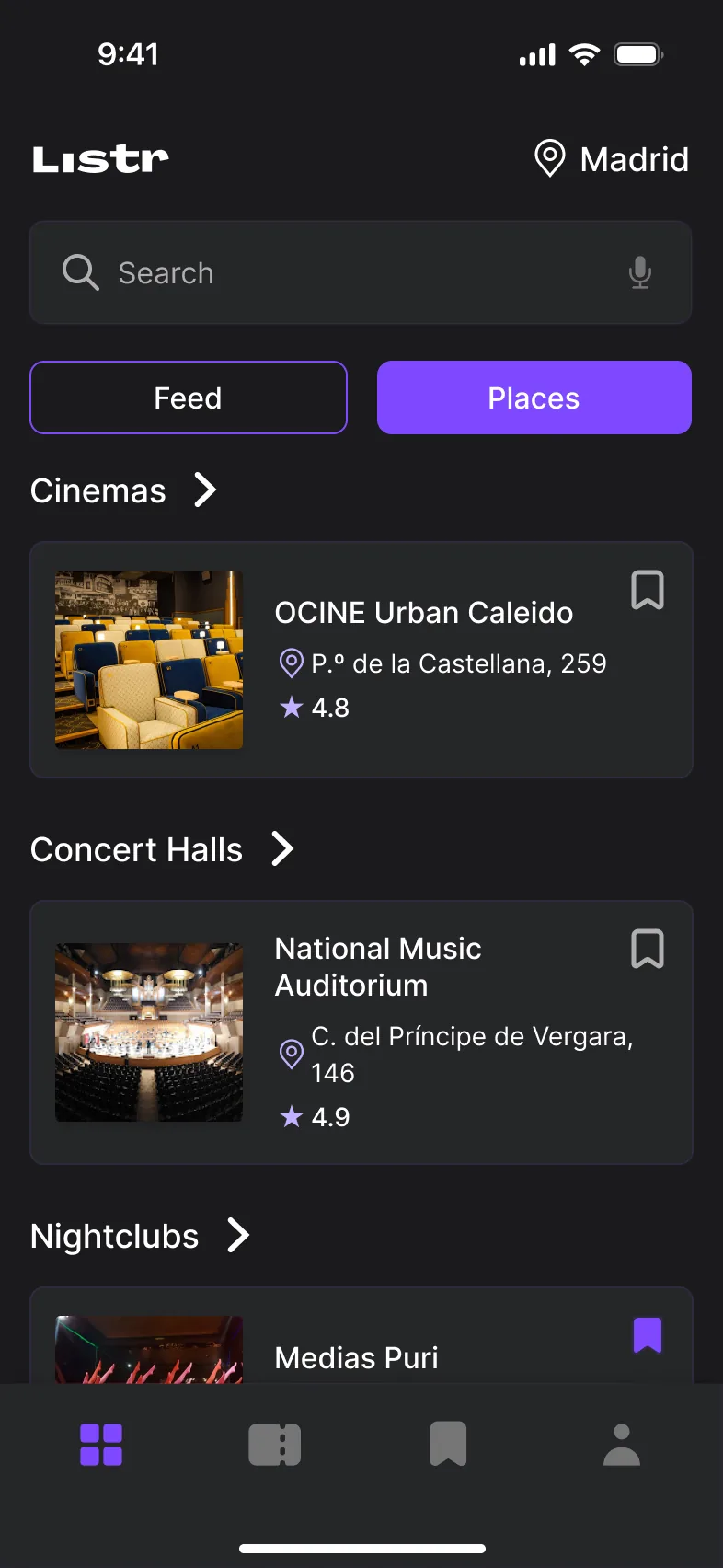
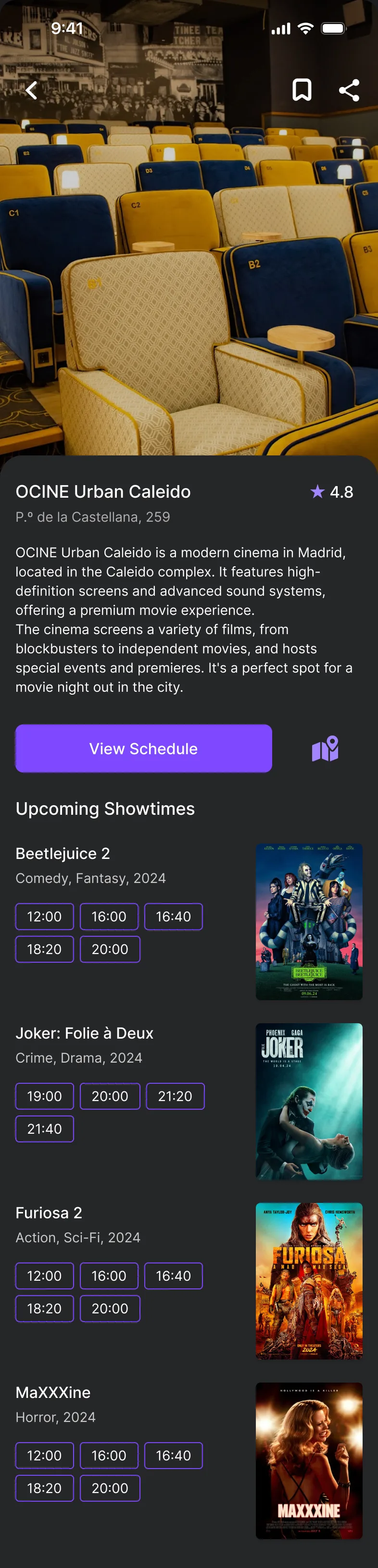
A Feed / Places switch at the top. The Feed lists upcoming events by category; Places groups venues by type — cinemas, concert halls, nightclubs. Each Place page shows the venue's description and its upcoming events with showtimes.
  • Feed screen in Madrid: a search bar, the Feed and Places switch, and rows of event posters for movies, concerts, nightlife, theater and sports
  • Places screen: venues grouped into Cinemas, Concert Halls and Nightclubs, each with address, rating and a save icon
  • Place page for the OCINE Urban Caleido cinema: venue photo, description, a View Schedule button and upcoming showtimes for several movies
Feed, Places and a Place page with upcoming showtimes.

Buying a ticket

Problem
Hidden fees at checkout were the top frustration in research.
Solution
Price is visible from the first step: each showtime shows its price, seats are picked on a clear map, and the total is shown before paying.
  • Movie page for Beetlejuice 2: poster, genre, a Buy Ticket button, plot summary, cast and a trailer
  • Seat selection for Beetlejuice 2: date chips, showtime chips with prices, and a seat map with available, occupied and selected seats
  • Payment screen: ticket summary with date, time, row and seats, saved cards, and the total of €32 next to the Pay button
From the movie page to seats and payment — the price is visible at every step.

Tickets: Active, Return, Archive

Problem
Upcoming tickets, refundable tickets and past events need to be easy to tell apart.
Solution
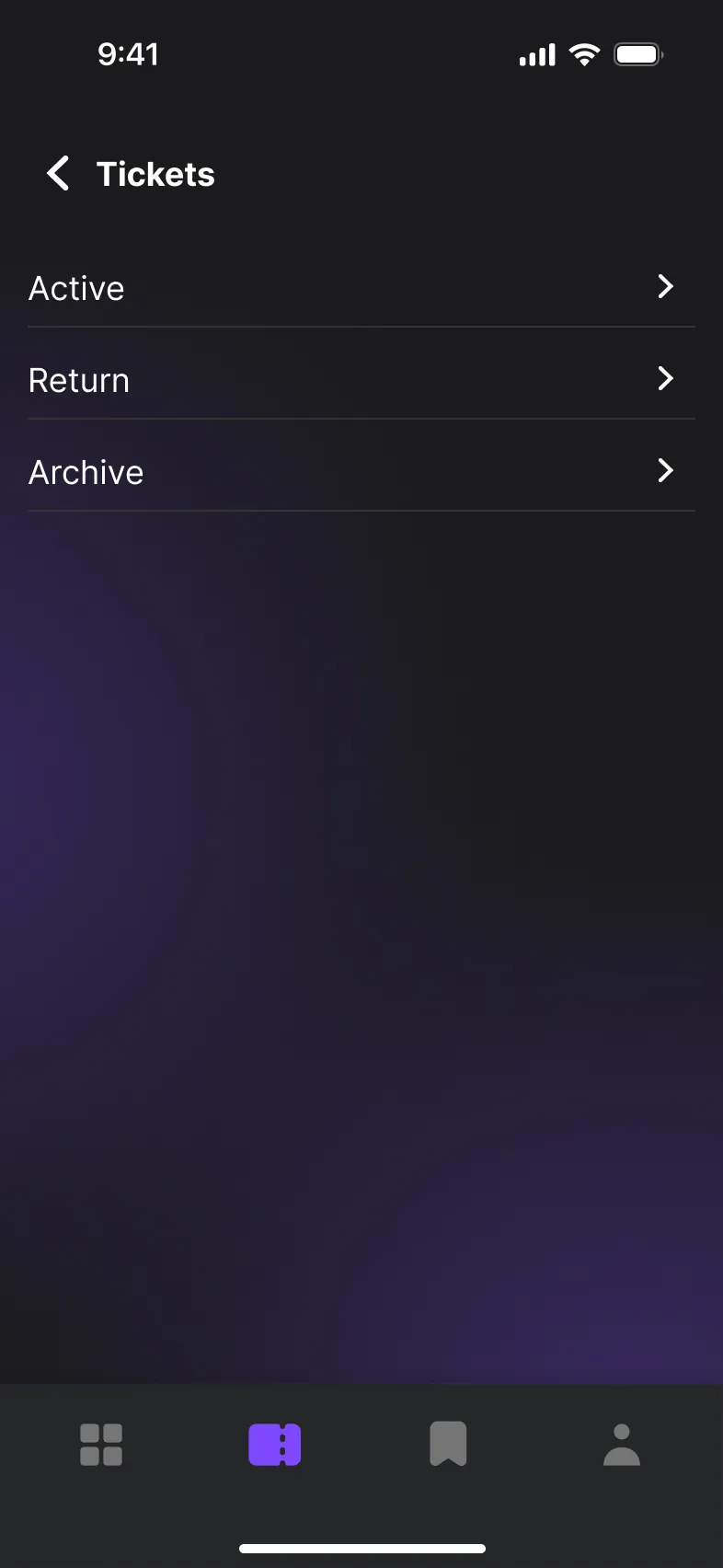
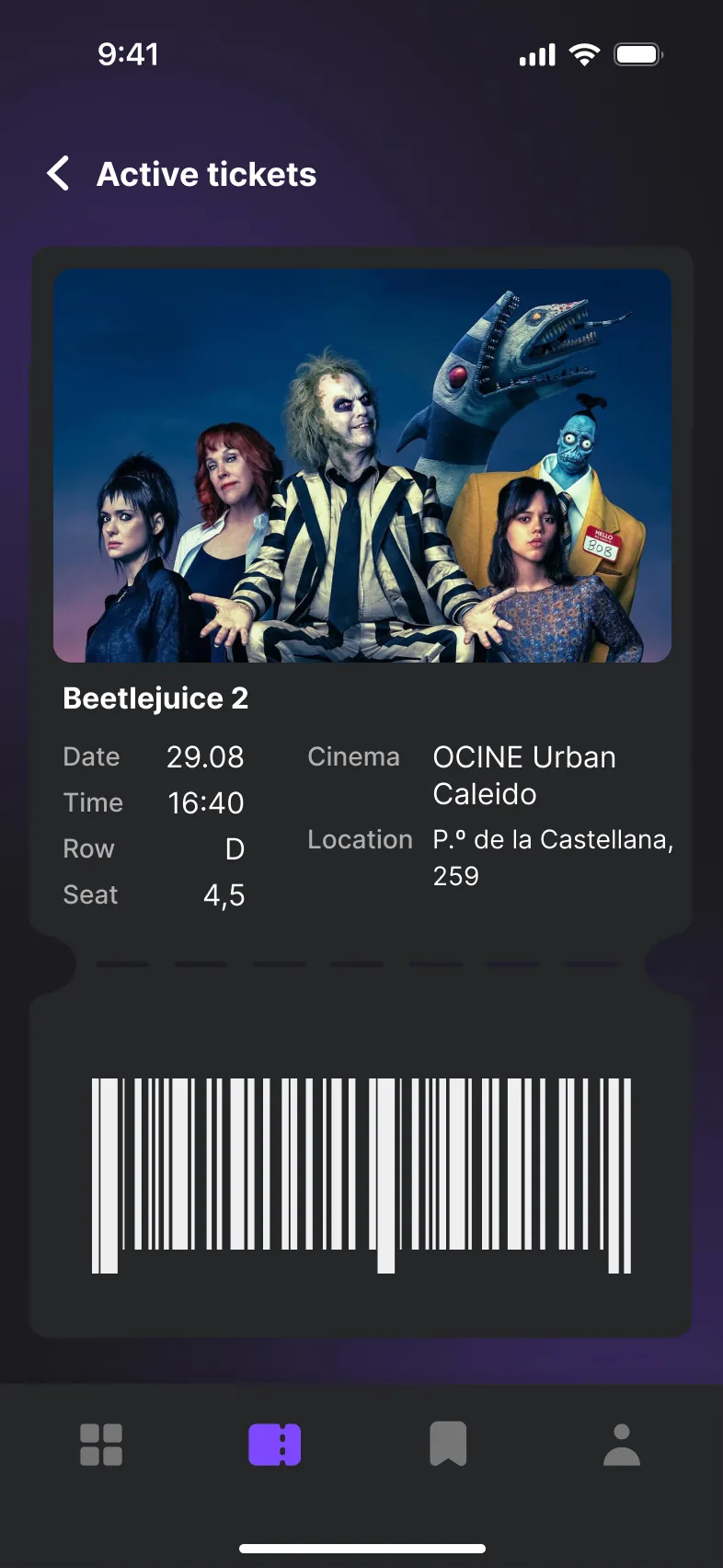
Tickets are split into three sections: Active shows upcoming events, Return shows tickets eligible for a refund, and Archive keeps a record of past events. An active ticket shows the date, time, row, seat, venue and a barcode.
  • Tickets screen with three sections: Active, Return and Archive
  • Active ticket for Beetlejuice 2 with date, time, row, seat, cinema, location and a barcode
Tickets menu and an active ticket.

More screens

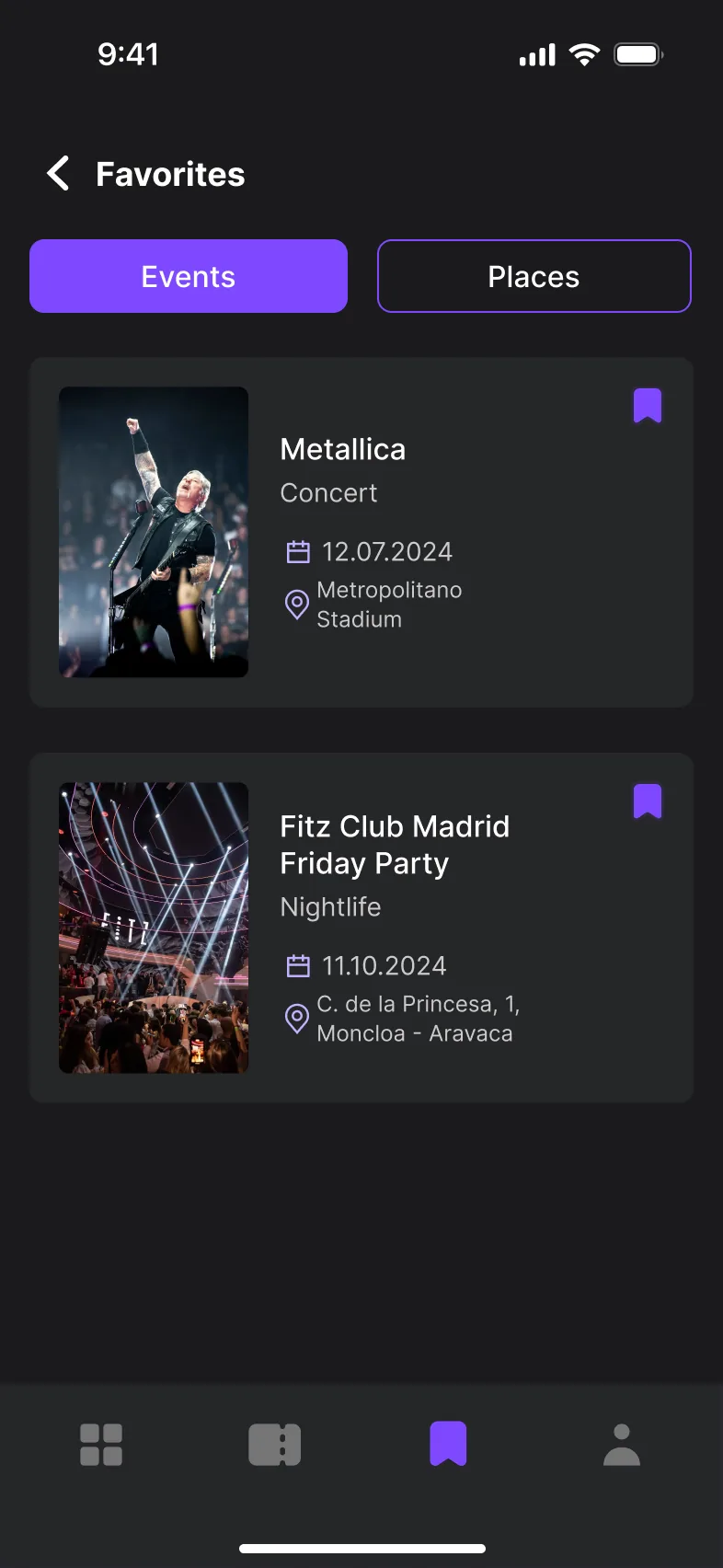
  • Favorites screen, Events tab: saved events with date and venue
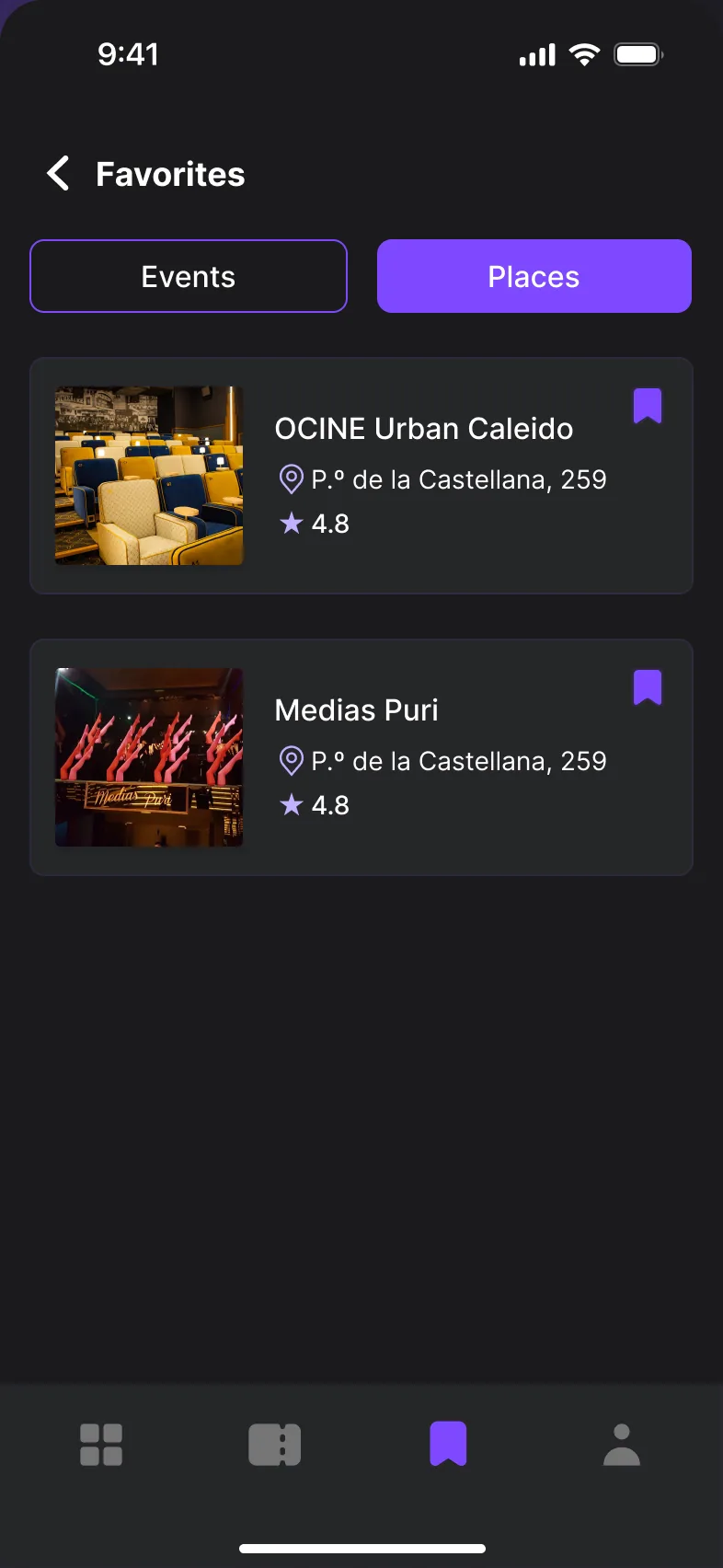
  • Favorites screen, Places tab: saved venues with address and rating
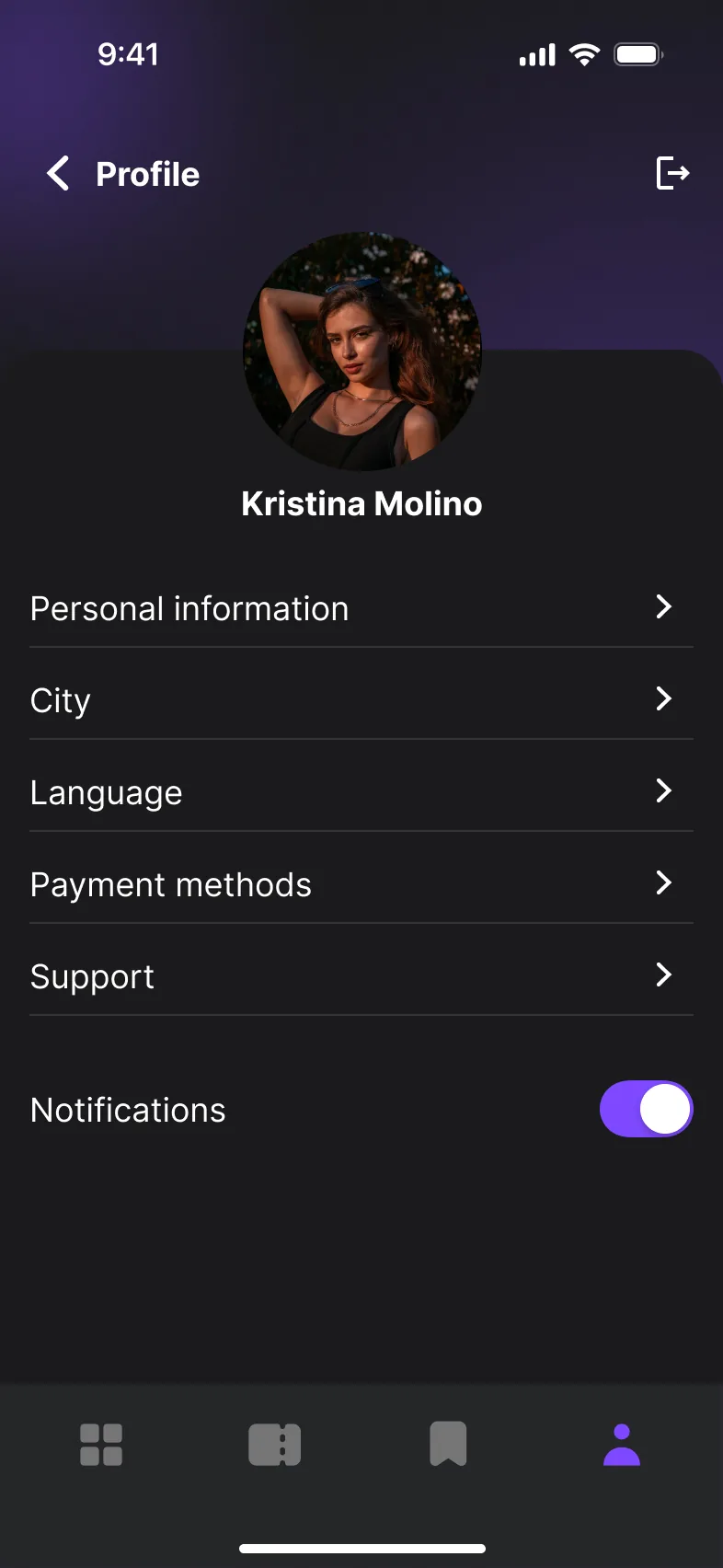
  • Profile screen: photo, name, and menu items for personal information, city, language, payment methods, support and notifications
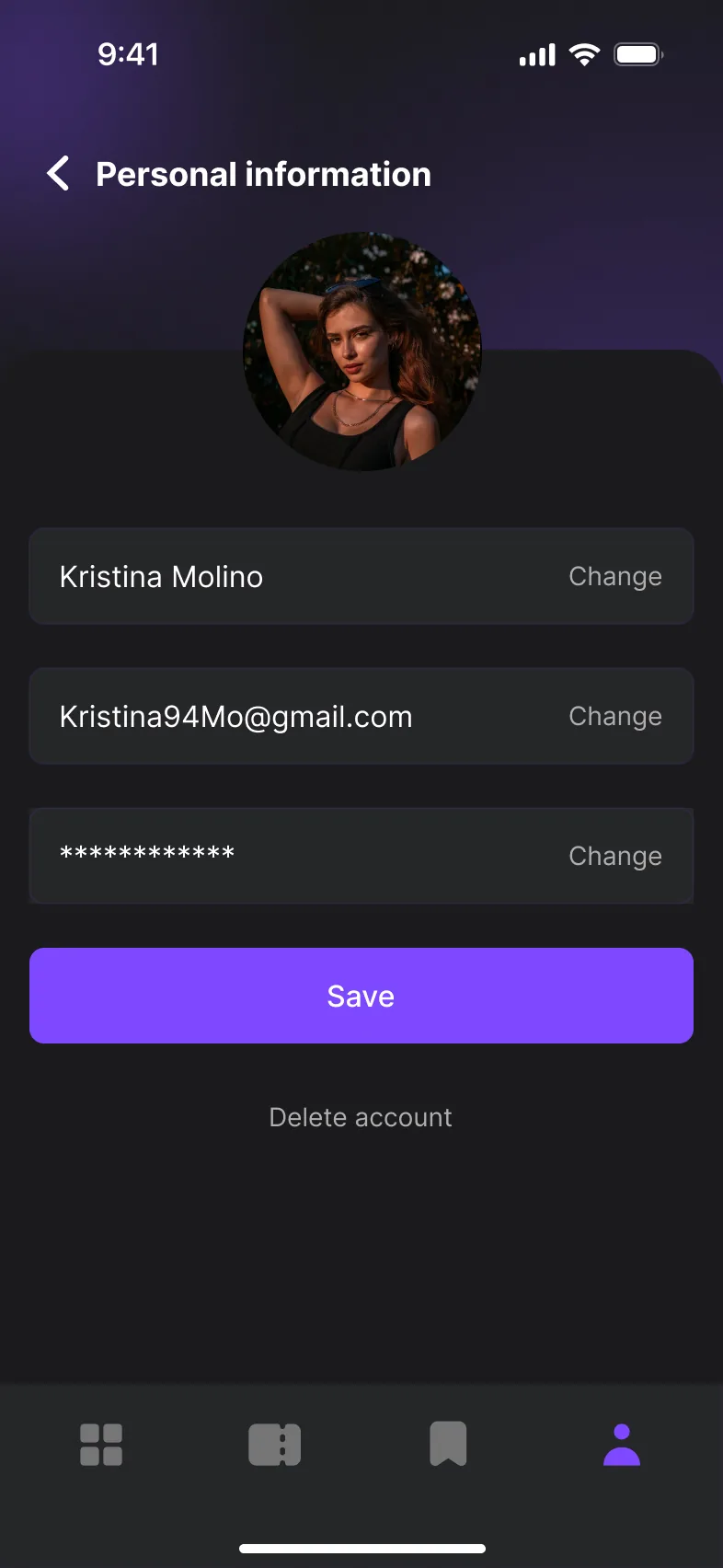
  • Personal information screen: editable name, email and password with a Save button
Favorites and profile. Saved events and places, profile and personal information.

Outcome

Outcome

Delivered a complete concept — research, flows, UI kit and high-fidelity screens for the core journey from onboarding to tickets.

What I learned

Listr taught me how to balance functionality and aesthetics, and how important it is to understand the audience deeply, so the design meets their needs while staying true to the brand. I also got better at simplifying user flows — making complex tasks feel easy and intuitive.